See what's left
before you spend it.
Balance brings your checking, savings and credit cards together, sorts your transactions and asks about the ones it can't be sure of, and shows what you can still spend this month.
Your statement, untangled.
Example data
Checking ····4821
- Oct 1 DIRECT DEP HOLLOWAY DESIGN CO PAYROLL PPD ID: 9112 +$3,860.00
- Oct 1 ACH DEBIT MAPLECREST APTS WEB PMT ID: 4471820 −$1,650.00
- Oct 2 POS DEBIT GREENLEAF MARKET 118 PORTLAND OR CARD 0917 −$74.36
- Oct 3 ACH DEBIT CASCADE POWER & LIGHT AUTOPAY −$96.20
- Oct 6 POS DEBIT BLUE KETTLE CAFE PORTLAND OR CARD 0917 −$14.85
- Oct 7 ZELLE PAYMENT TO K BROOKS CONF# PP0R7XK2 −$60.00
- Oct 8 ONLINE TRANSFER TO SAV ...7310 REF# IB0DQ4 −$400.00
- Oct 9 POS DEBIT RIVERLINE TRANSIT FARE PORTLAND OR CARD 0917 −$32.50
- Oct 11 ACH DEBIT STREAMHOUSE MEMBERSHIP −$12.99
- Closing balance $2,111.65
What it is sure of lands in its category.
- Salary: Holloway Design Co +$3,860.00
- Rent & Mortgage: Maplecrest Apts −$1,650.00
- Groceries: Greenleaf Market −$74.36
- Gas, Water & Electricity: Cascade Power & Light −$96.20
- Food & Drinks: Blue Kettle Cafe −$14.85
- Transport: Riverline Transit −$32.50
- Subscriptions: StreamHouse −$12.99
Recurring bills find their day.
Known from earlier months.
- Oct 1: Rent & Mortgage, Maplecrest Apts −$1,650.00
- Oct 3: Gas, Water & Electricity, Cascade Power & Light −$96.20
- Oct 11: Subscriptions, StreamHouse −$12.99
- Oct 18: Phone & Internet, Pinecone Wireless −$65.00
- Oct 24: Insurance, Harborline Mutual −$118.40
The one it is not sure of, it asks about.
Which category for K. Brooks (−$60.00, Oct 7). Balance doesn't know K. Brooks yet. One answer files everything from that party.
Transfers between your own accounts cancel out.
Internal transfer: Checking −$400.00, Savings +$400.00. Counted as spending: $0.00
Still free to spend in October
Available buffer $2,111.65, Upcoming bills this month −$183.40, Card balances due −$86.25: $1,842
Where do I stand?
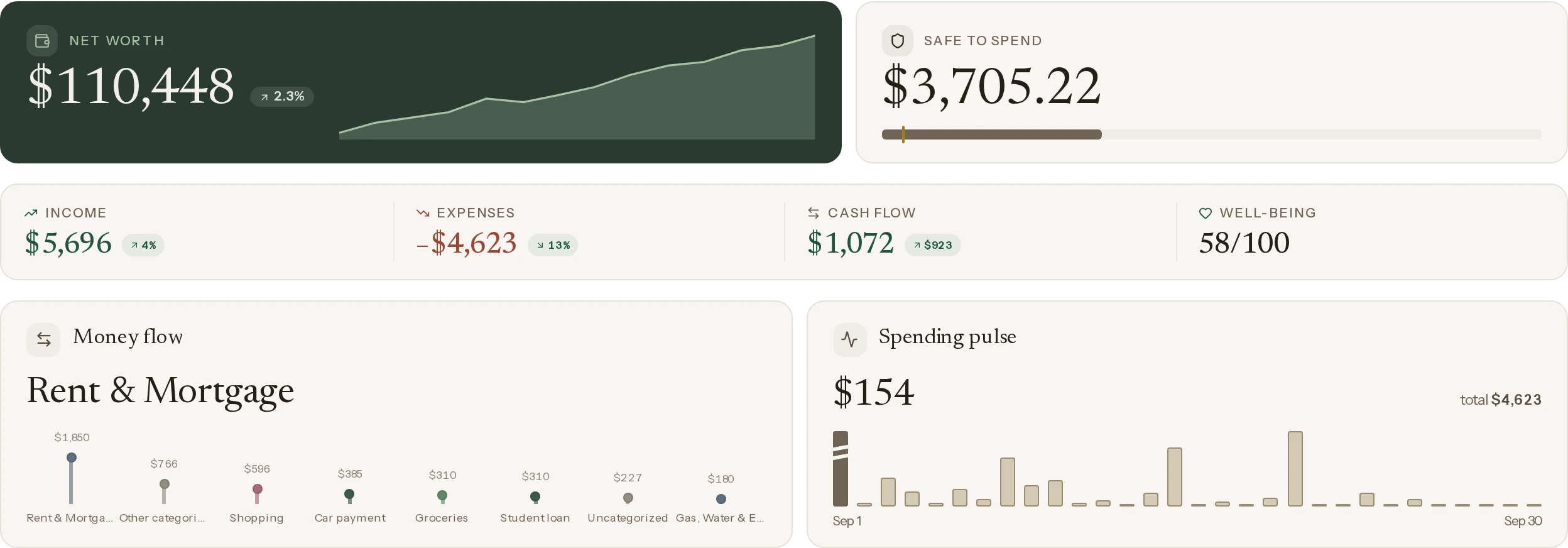
Every account, investment and asset in one net-worth figure — and what moved it this month.
What can I spend?
What is genuinely free until the end of the month, once the bills that are coming are set aside.
What needs my attention?
The end-of-month forecast, the fixed costs still to come, and an alert only when something is off.
Example dataFrom the live demo — an invented household on the real board.
Moving money to yourself is
not spending.
Move money from your checking account to your savings, to a pot or to your account at another bank, and most apps see two things: money spent and money received. Your spending and your income both look higher than they are. Balance recognizes transfers between all your own accounts by itself, across banks too, and keeps them out of your figures. Without you having to set anything up. What’s left is what you really spent.
Know what each paycheck
is for.
Give your money a place at the start of the month, and the board tells you what is left to assign — not what is left in the account. Eight kinds of target and eight ways to fill them, with one press that covers overspending, funds every target and counts what is still due. Balances roll over, a correction in a past month works through every month after it, and every move an envelope has ever seen stays readable in the envelope itself.
Find the subscriptions
you forgot about.
Balance auto-detects subscriptions and fixed costs, tracks billing cycles and contract end dates, and warns you before a notice deadline slips by.
Measured against
your own normal.
Your normal is the average of the months before, up to a year back. Balance says in a few sentences what stood out, above it or below. Your years sit side by side in today’s prices. And a report for your accountant.
Sorted for you.
Corrected by you.
Balance files a transaction by itself only when it can trust the answer: a rule, a correction you made before, a shop or kind of business it recognizes, or a transfer between your own accounts. The rest it asks you about, with its proposal.
Every feature you need.
Nothing you don't.
Self-hosted Balance ships with the full feature set out of the box — every feature, no add-ons, no paywalls.
Two options. That's the whole menu.
Every feature is in both — the only difference is who runs the server.
Bank sync runs on your own key: Enable Banking in Europe and the UK, SimpleFIN in the US and Canada. Everywhere else, import your statements.
Self-hosting: the machine, the database and the key are yours. No third party can reach it, because there is no third party.
Balance Cloud: we run it for you, and then it is only fair to say what that means — your data sits on our server, and technically we can reach it.
What limits that: what is encrypted on disk — your two-factor secret, your SimpleFIN access, your notification channels and the backup you download — guards against a stolen disk or a copied backup, not against us: the key sits on the same server. It does not cover the Enable Banking key and the copilot API key you bring; those sit on that server as files. The bank connection is read-only, and nothing is sold, mined or shared. If you want a server nobody else can reach, self-hosting is the honest choice — and it stays free.
Back Balance before Balance Cloud launches
There is nothing to pay for yet. The way to back Balance today is to try it — and, if it fits, to run it yourself.